Save big on select office essentials!

Top Productivity Tools for Remote Work | OfficeDesk Pro
Discover top productivity tools for remote work and learn how to build a focused, ergonomic home office using OfficeDesk Pro’s expert desk, seating, and workspace recommendations.
PRODUCTIVITY TIPS & TOOLS
1/28/2026
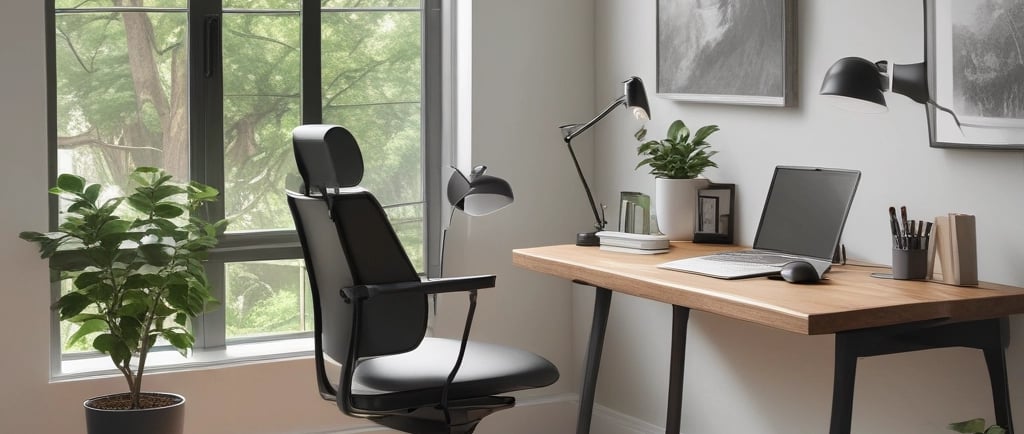
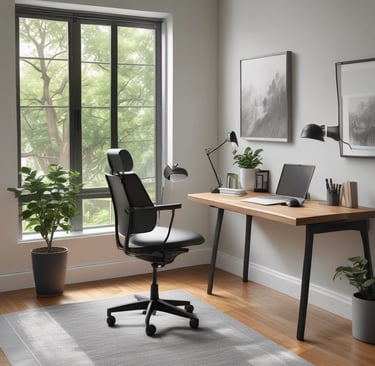
Remote work doesn’t fail because people lack motivation.
It fails because their tools quietly work against them.
After testing hundreds of home-office setups, one pattern keeps repeating: productivity jumps when tools reduce friction, protect focus, and support the body—not when they add complexity.
Below are the core productivity tools we recommend at OfficeDesk Pro, based on real-world remote work setups—not theory.
1. A Desk That Adapts to Your Work Rhythm (Not the Other Way Around)
Most remote workers underestimate how much productivity is lost to a static desk.
Long sitting sessions reduce circulation and focus. Standing all day causes fatigue. The solution isn’t choosing one—it’s switching intelligently.
What works:
An adjustable sit-stand desk that lets you change posture without breaking concentration.
Why it matters:
Alternating positions helps maintain energy across long work blocks
Reduces lower-back compression and neck tension
Encourages natural movement without scheduling “breaks”
OfficeDesk Pro tip:
Set two default heights—one for deep-focus sitting, one for light standing tasks like email or calls. This removes decision fatigue and keeps transitions seamless.
2. Ergonomic Seating That Supports Focus, Not Fidgeting
If you’re constantly shifting, stretching, or slouching, your chair is stealing attention—even if you don’t notice it.
A productivity chair doesn’t just feel comfortable at first sit. It keeps you supported three hours later.
What to prioritize:
Adjustable lumbar support that matches your spine curve
Seat depth that supports thighs without cutting circulation
Armrests that align with desk height (to avoid shoulder tension)
Common mistake:
Buying a “soft” chair instead of a supportive one. Plush cushions feel good for 10 minutes—structured ergonomics feel good all day.
3. Monitor Elevation That Protects Your Neck and Eyes
Laptop-only setups are one of the biggest productivity killers in remote work.
When your screen is too low, your neck bends forward. Over time, that posture leads to:
Neck and shoulder strain
Shallow breathing
Faster mental fatigue
The fix:
A monitor stand or arm that lifts your screen to eye level.
Why it works:
Keeps your head stacked over your spine
Improves visual comfort during long focus sessions
Creates usable desk space underneath for notebooks or accessories
OfficeDesk Pro setup rule:
Your eyes should naturally land on the top third of the screen when sitting upright.
4. Cable & Surface Management to Reduce Visual Noise
Clutter doesn’t just take up space—it competes for attention.
Visible cables, scattered accessories, and overcrowded desks subtly drain focus throughout the day.
High-impact tools:
Cable trays mounted under the desk
Magnetic cable clips for frequently used devices
Minimal desk organizers with defined zones
Productivity payoff:
A clean surface makes it easier to enter deep work quickly—and easier to leave work behind at the end of the day.
5. Lighting That Supports Energy (Not Eye Strain)
Overhead lighting alone is rarely enough for remote work—especially in darker months.
Poor lighting forces your eyes to overwork, increasing fatigue and headaches.
What actually helps:
A focused desk lamp with adjustable brightness
Neutral or daylight color temperature for work hours
Warm ambient light for early mornings or evenings
Pro insight:
Match your lighting to your task. Bright and neutral for analytical work; softer for creative or planning sessions.
How to Combine These Tools into a High-Performance Setup
The biggest productivity gains don’t come from one upgrade—they come from alignment.
A well-designed OfficeDesk Pro setup:
Supports posture automatically
Reduces distractions by default
Makes focus the easiest option
Start with the desk and chair. Then layer in monitor height, cable control, and lighting. Each improvement compounds the next.
Final Thought: Productivity Tools Should Disappear
The best tools don’t demand attention.
They fade into the background—so your work can come forward.
That’s the standard we use when recommending any OfficeDesk Pro product.
Ready to build a remote workspace that actually supports your productivity? Explore OfficeDesk Pro’s store now!
Discover More Insights
Help
Questions? Reach out anytime, we're here.
Contact
Subscribe
contact@officedeskpro.com
© 2026. All rights reserved.