Save big on select office essentials!

How to Adjust Desk Height for Sitting vs. Standing (Desk Height Adjustment Tips)
Learn how to adjust desk height for sitting and standing positions. Discover ergonomic accessories that help with desk height adjustment for better comfort and productivity.
ERGONOMICS & HEALTH
2/3/2026
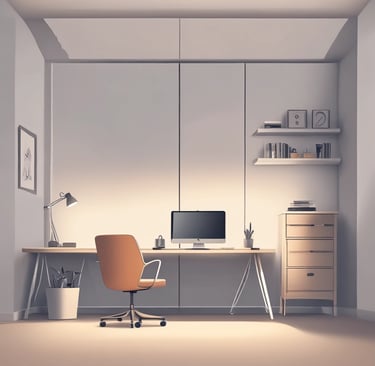
Setting the correct desk height for both sitting and standing is crucial to your overall productivity, comfort, and long-term health. Whether you're working from home or in a traditional office, desk height influences your posture, reduces strain, and helps you stay focused throughout the day.
While adjustable desks might be the ideal choice for some, you can still make significant improvements to your workspace by simply adjusting your current desk and adding the right ergonomic accessories.
In this guide, we’ll walk through how to set your desk height for sitting and standing positions, and how ergonomic accessories like custom desk mats, monitor risers, and keyboard trays can help you achieve the perfect setup.
Why Desk Height Is Critical for Your Health & Productivity
When your desk height is wrong, the effects are subtle but significant. Poor desk height can:
Cause neck strain as you tilt your head to see your screen
Increase shoulder tension from having to lift or extend your arms
Create wrist pain when typing at an awkward angle
Lead to back pain from hunching or slouching
Correct desk height, on the other hand, allows you to:
Maintain neutral wrist posture while typing
Keep your elbows at a 90-degree angle
Sit or stand with your back straight, minimizing pressure on your spine
Reduce neck strain by ensuring your monitor is at eye level
Step 1: Finding Your Correct Sitting Desk Height
When sitting, your desk height should be set based on your elbow height and your overall comfort. Follow these steps to get it right:
1. Adjust Your Chair First
Sit with your feet flat on the floor and your knees at about hip level.
Your lower back should be supported with lumbar support.
The chair height and position are essential because they set the foundation for the desk height.
2. Set the Desk Height to Your Elbows
With your arms relaxed by your sides, bend your elbows to about 90–100°.
Your forearms should be parallel to the ground while typing.
Your desk should be at this elbow height — not too high, not too low.
3. Monitor Alignment
Make sure your monitor is at eye level so that you’re not tilting your neck to see your screen:
The top of the screen should be aligned with your line of sight.
The screen should be about an arm’s length away.
If adjusting your chair and desk doesn’t give you the perfect alignment, you can use ergonomic products like monitor risers to bring your screen to the right height.
Step 2: Setting Your Standing Desk Height
Using a standing desk (or simply standing intermittently) can be a great way to reduce the risks of prolonged sitting. Here’s how to get your standing desk setup right:
1. Stand Naturally
Start by standing with your feet shoulder-width apart and your knees slightly bent (not locked).
2. Adjust Desk Height to Elbows
The desk should be set at elbow height, just like in the sitting position:
Elbows at 90–100° should be your guide.
If the desk is too high, you’ll notice shoulder strain. If it’s too low, you’ll likely feel discomfort in your lower back.
3. Monitor Height
Just like sitting, your monitor should be at eye level. You can adjust this by using a monitor arm or riser to ensure that you’re not craning your neck to see the screen.
4. Change Positions Regularly
The key to a good standing desk setup is frequent movement:
Alternate between sitting and standing every 30–45 minutes.
Use a standing mat to reduce strain on your legs and feet while standing for long periods.
Real-World Example: Adjusting for Sitting and Standing
Scenario: Home Office Worker
A remote worker who spends long hours at their desk, but notices frequent neck and lower back pain by the afternoon.
Solution:
They switch from their old fixed desk to an ergonomic setup that includes:
A custom desk mat to provide cushioning for their feet while standing
A monitor riser to bring their screen to eye level, reducing neck strain
An ergonomic keyboard tray to ensure their wrists stay in a neutral position
Result:
After making these adjustments, the worker experiences less discomfort, maintains better posture, and can alternate between sitting and standing throughout the day without pain.
Why Ergonomic Accessories Are Essential
While adjusting your desk height is important, the right ergonomic accessories can make all the difference in your comfort and productivity. Some key products to consider:
Custom Desk Mats: A high-quality mat can provide cushioning and support while standing, helping to reduce foot fatigue and improve circulation.
Monitor Risers: Keep your monitor at the perfect height to prevent neck strain. These risers come in various sizes and designs to suit your workspace.
Keyboard and Mouse Trays: These allow you to keep your wrists in a neutral position while typing, reducing the risk of carpal tunnel or wrist strain.
Footrests: If your feet don’t comfortably touch the floor, a footrest can help improve posture and support your legs.
With OfficeDesk Pro’s range of customizable ergonomic accessories available through Printful, you can personalize your setup to fit your needs — not just for comfort, but for style too.
Step 3: Common Desk Height Mistakes to Avoid
Even if you’re trying to adjust your desk height properly, there are still some common mistakes to watch out for:
Incorrect wrist positioning: Bending your wrists while typing can lead to long-term strain. Keep your wrists straight and neutral.
Desk too high or low: If your desk height doesn’t match your elbow position, you’ll strain your shoulders, back, and wrists. Adjust accordingly.
Not moving enough: Sitting or standing for too long in one position can cause discomfort. Get into the habit of moving every 30–45 minutes.
Incorrect monitor height: If your screen is too high or too low, you’ll strain your neck. Keep the top of your screen at eye level.
How OfficeDesk Pro Can Help
At OfficeDesk Pro, we offer a wide range of ergonomic accessories to help you set your desk height and improve your workspace:
Custom Desk Mats: Personalized desk mats provide both style and ergonomic support.
Monitor Risers: Elevate your screen to reduce neck strain and create a more comfortable working environment.
Ergonomic Keyboard Trays: Keep your wrists at a neutral angle for comfortable typing.
Our range of ergonomic tools can help you build a workspace that supports your body and enhances productivity.
Final Takeaway: Desk Height & Ergonomics for Productivity
The right desk height is crucial to maintaining good posture and reducing discomfort. By adjusting your desk height for both sitting and standing positions, and incorporating ergonomic accessories like monitor risers, custom desk mats, and keyboard trays, you’ll improve both your comfort and productivity.
Create a personalized workspace that supports your health and focus with OfficeDesk Pro’s range of ergonomic tools. Visit our store and take the next step to a more comfortable, productive workday!
Discover More Insights
Help
Questions? Reach out anytime, we're here.
Contact
Subscribe
contact@officedeskpro.com
© 2026. All rights reserved.